The Journeyman
01Platform · for firefighters and companies

Built forwildland fire.Built for you.

A purpose-built platform connecting firefighters and contractors with the tools they need to hire, train, deploy, and manage operations—all in one place.

View pricing →
FIG. 1App screens, sample data
A helicopter carrying a load on a long line over pines
On the line

Hire. Train.
Deploy. Manage.

All in one place, built by people who've been on the line.

04The tour · app screens, guided

Walk through the app.

Scroll the left column. The spotlight moves across the app screens (sample data), one control at a time.

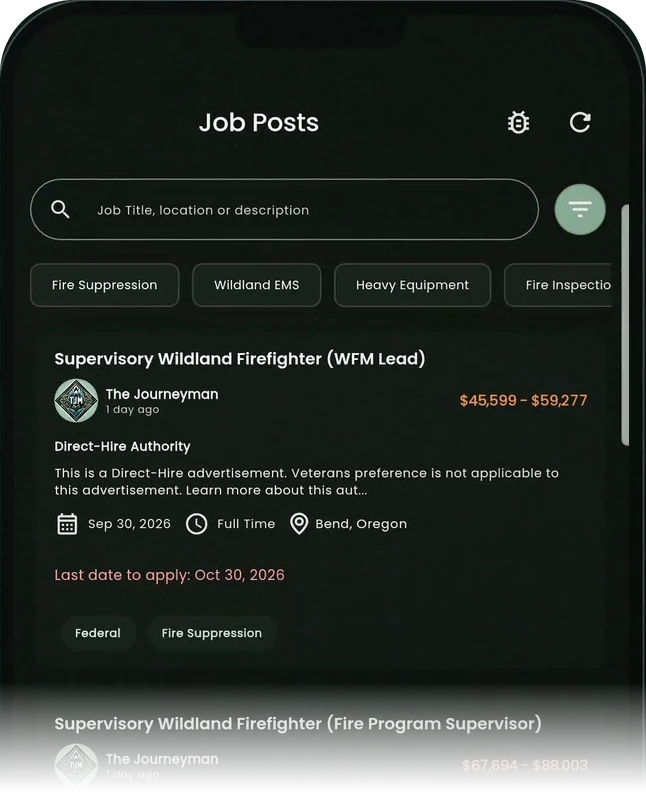
Find your next assignment

The job board lists open positions with pay, location and the apply-by date. Search by keyword or filter by discipline.

  • Search by title, location or description
  • Pay, location and apply-by date on every post
Scroll ↓

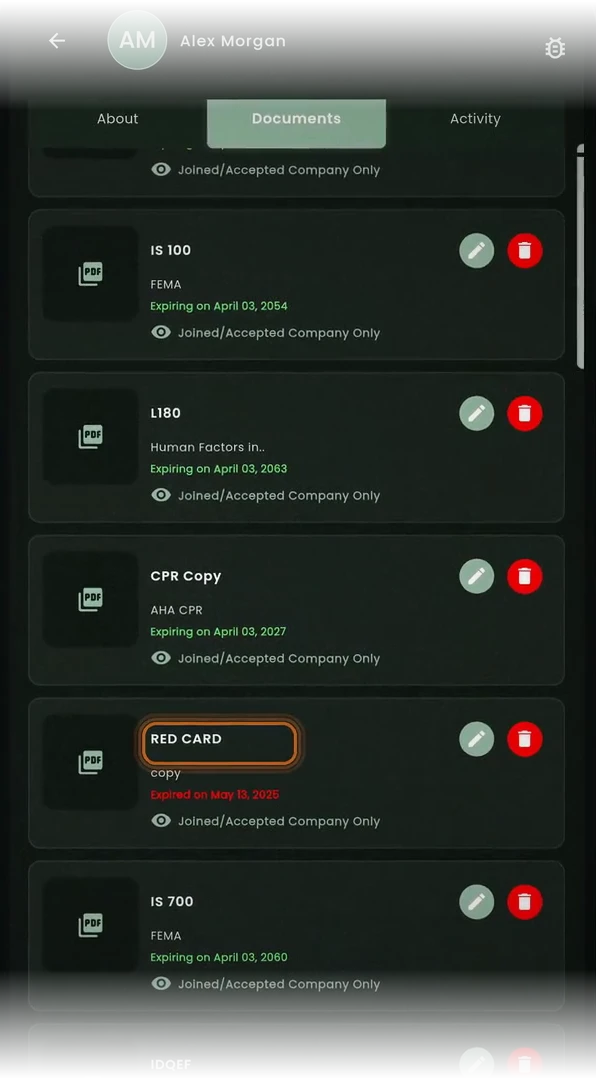
Keep your qualifications current

Every certificate and document sits in your profile with its expiration date, so you see what is coming due.

  • Expiration dates on every document
  • Choose who can see each one
Scroll ↓

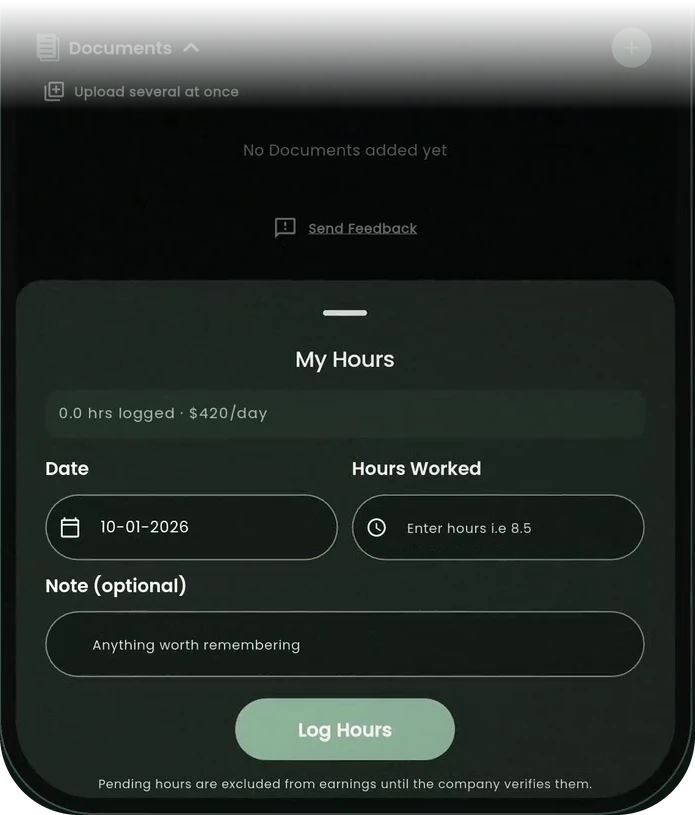
Log your season

Log the date, the hours and a note. Pending hours stay out of your earnings until the company verifies them.

  • Hours and day rate in one sheet
  • Company verification keeps the record honest
Scroll ↓

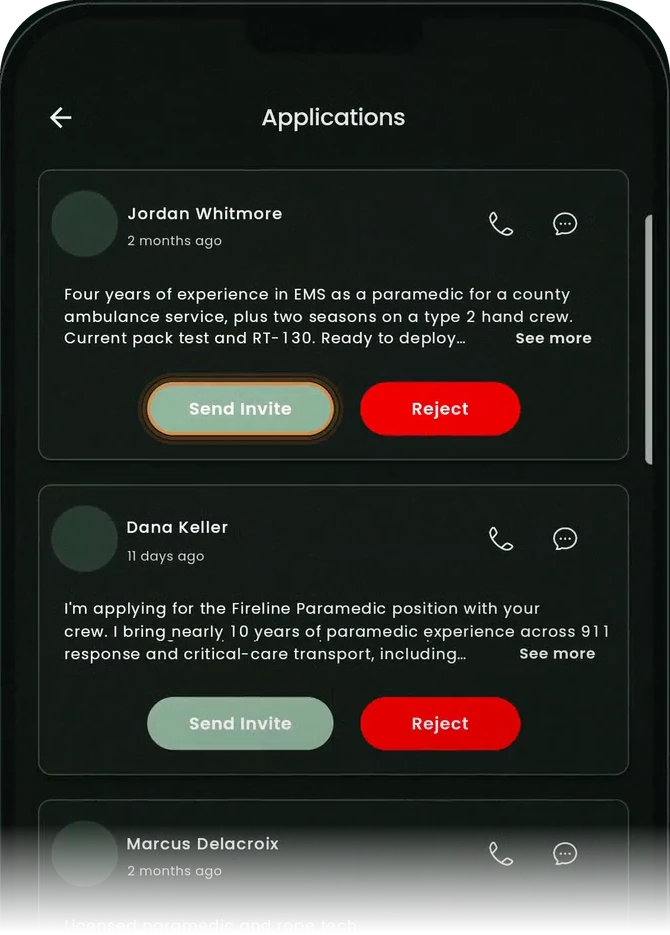
Hire, roster, deploy

Applications arrive with each firefighter’s experience. Call, message, invite them to your roster or pass.

  • Applicants with their experience up front
  • Invite to your roster from the card
Scroll ↓

Track every incident’s money

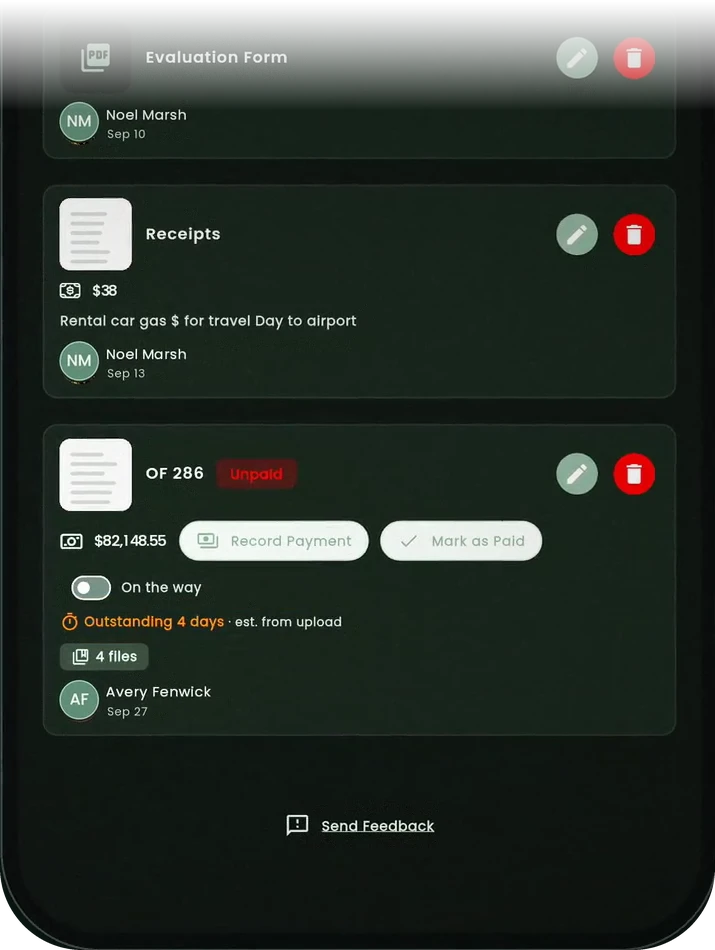
Receipts and OF-286 time reports live with the incident. See what is unpaid and record the payment when it lands.

  • Receipts and OF-286 kept with the incident
  • Record payment or mark as paid
Scroll ↓

Run the whole company

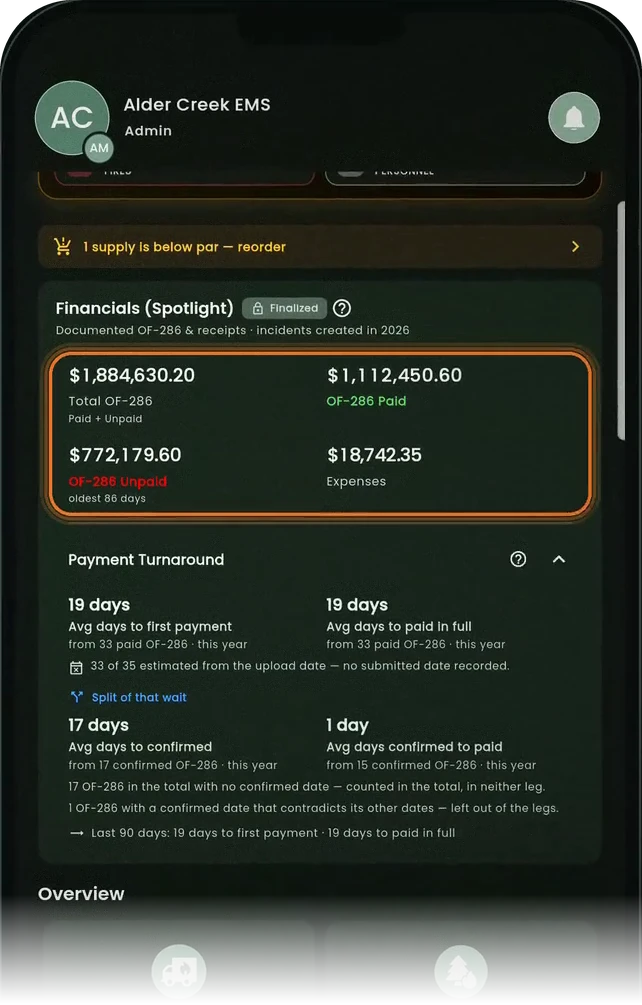
The company home screen rolls up financials and payment turnaround, and tells you when a supply is below par.

  • Total OF-286, paid, unpaid and expenses
  • Reorder alert when stock drops below par
End of tour
The TJM Job Posts list on a phone: search, discipline filters and a job post with pay and location A firefighter profile on a phone, listing documents with their expiration dates The My Hours sheet on a phone: date, hours worked and a note The company Applications list on a phone, with Send Invite and Reject buttons A company resource order on a phone: receipts and an unpaid OF-286 with Record Payment The company home screen on a phone: Financials, Payment Turnaround and a reorder alert
Step 1 · 1/3Find your next assignment

Search the board

Search by job title, location or description.

06The toolkit

Eight tools. Two sides.

01

Job Board & Hiring

Post positions, find work, and respond to emergency hire requests in real-time.

02

Certification Tracking

Never miss an expiration. Track , qualifications, and compliance.

03

Roster Management

Build, organize, and communicate with your teams from one dashboard.

04

Gear Management

Add your resources, vehicles, and equipment inventory.

05

Incident Tracking

Map-based incident logs with assignment tracking and resource visibility.

06

Cost Tracking

Receipts and totals per incident, rolled up into company financials.

07

Team Messaging

Direct 1:1 messaging, plus teams and groups.

08

Analytics & Reporting

Data-driven insights to improve readiness and operational decisions.
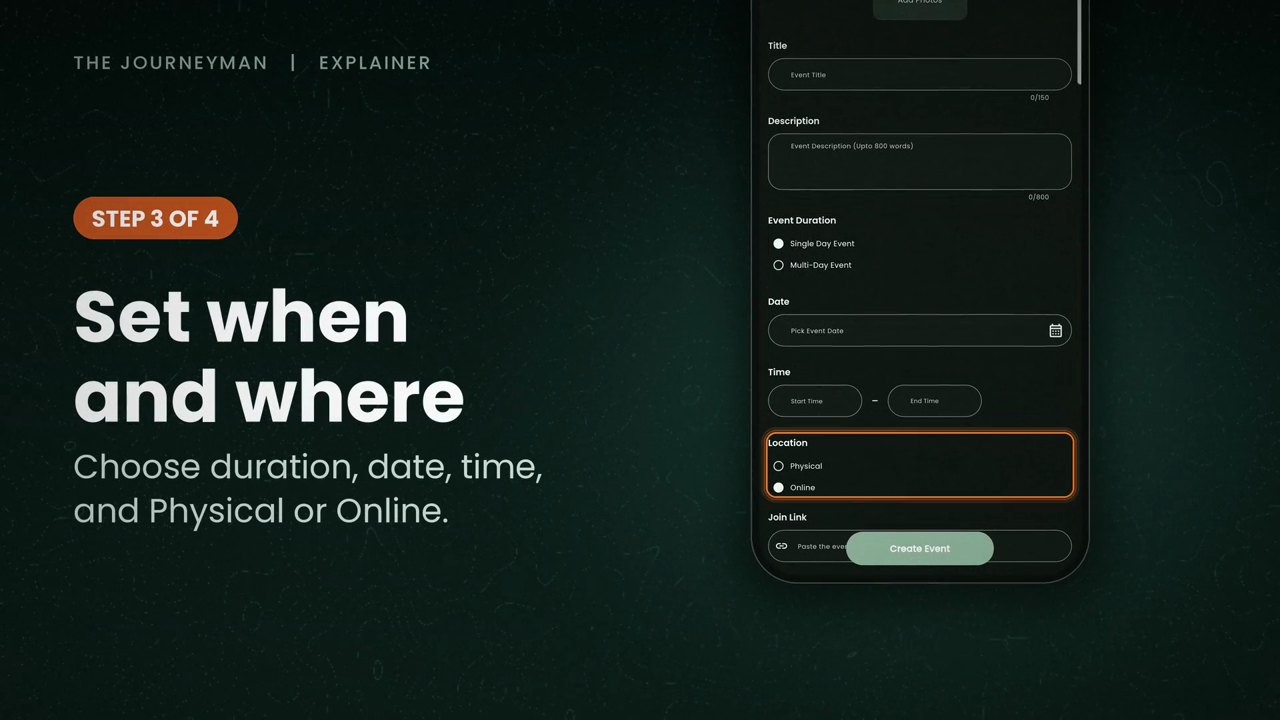
A frame from the training providers explainer: posting a training in the app, choosing its duration, date, time and place
FIG. 4Posting a training
07Training providers

List your courses. Reach firefighters.

Discover, host, and manage training events with attendance tracking. Training and event posts are unlimited on every company plan.

How it works for providers
01
Post it

Training and event posts are unlimited on every company plan, including the free tier.

02
Reach firefighters

Firefighters get job, training, event and community-post alerts by region and industry.

03
Track attendance

Training events come with attendance tracking.

Included on every company planSee plans →
08Contractors · Intelligence

Know where you stand.

The VIPR portal: your own agreements, dispatch-list standings and market position, behind the key we issue your company.

Your verified wildland profile is free. Company plans run from free to annual licenses. See every plan and limit →

11FAQ

Straight answers.

Answered from what the platform does today. Need more? Talk to sales, or book a demo of 15 minutes or less.

Your verified wildland profile is free, forever. TJM Pro is optional: $15.99 a month, $40 a quarter, or $120 a year. The annual plan saves 37%.

Yes. Type 4 is free forever for small teams: roster limit 25, unlimited job posts, unlimited training and event posts, direct 1:1 messaging, teams and groups, and a basic document vault. Paid annual licenses are Type 3 at $999, Type 2 at $2,900, Type 1 at $4,700.

Upload and store your resume, certs, and documents. Cert expiry dates are tracked so you can see what is coming due, and companies can monitor crew compliance from the dashboard.

Yes. Free profiles can view live wildland incidents on the map. TJM Pro lets you join active incidents and create new ones. Free users can view but cannot be added as a resource.

The best way to use The Journeyman is through the mobile app for iPhone and Android. You can also open the web app at app.livetjm.com.
12Start today

Ready to modernize your operations?

Join the platform built by wildland fire professionals, for wildland fire professionals.